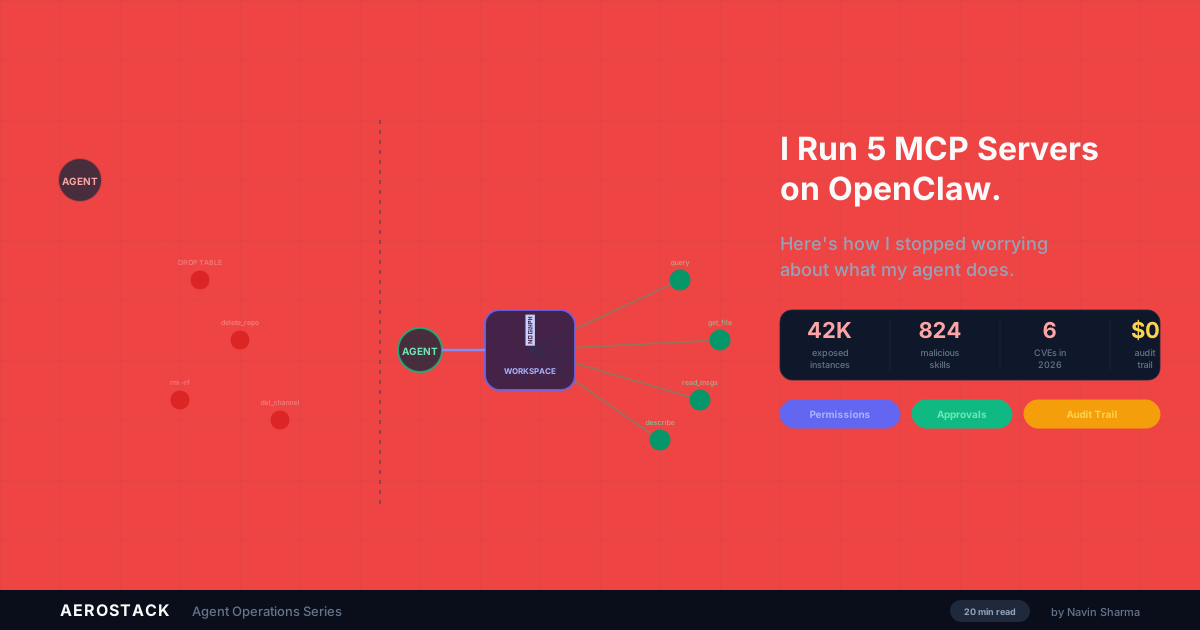
Your OpenClaw Agent Can Delete Its Own Logs. That's a Problem.
The DEV Community audit on OpenClaw security landed hard earlier this month. One finding stuck with me:
"OpenClaw's logs are exclusively local. Combined with an agent with filesystem access, this facilitates post-compromise defense evasion and eliminates historical audit capability."
That's not hyperbole. It's a design reality that most teams don't fully think through until something goes sideways.
Why This Matters (More Than You Think)
Here's the chain of logic:
Your agent has filesystem access. That's the whole point. It needs to read and write files, navigate directories, run scripts. Your logs are stored as files on the local machine. Your agent can access those files. Therefore: your agent can delete, modify, or truncate its own logs.
There is no independent record.
If something goes wrong—an agent makes an unauthorized API call, deploys code it shouldn't have, deletes customer data—you can't prove what happened. The agent could have cleaned up after itself. You're left with absence of evidence, and absence of evidence becomes evidence of absence in security reviews and compliance audits.
This is especially sharp if your agent makes a mistake. Maybe it hallucinates and runs rm -rf / in the wrong directory. Maybe it corrupts a database. Maybe it exfiltrates data by accident. If the logs vanish, you can't even debug the failure. You just know something broke, and you can't tell the board or your customers exactly what it was.
What the Community Built
The responses from the community have been solid. I want to call out three projects that are solving real problems:
Mission Control, built by Will Cheung, is an open-source audit log dashboard. Self-hosted, gives you a clean visual interface over your OpenClaw logs. I've used it. It works.
OpenClaw Dashboard, by tugcantopaloglu, does real-time monitoring, cost tracking, and a memory browser. You see what your agent is doing as it happens.
openclaw.watch is a SaaS option for token monitoring and cost analytics.
These are good projects. They're community-driven, and they show that people understand the gap. The problem is they all share one limitation: they're retrospective. They tell you what happened after the fact. By the time you see the red flag in a dashboard, the action is already complete.
If your threat model is "I need to know what happened yesterday," they're sufficient. If your threat model is "I need to prevent something bad from happening before it completes," you need something else.
What I Wanted
I wanted prevention, not just observation.
I wanted a real-time activity feed that shows risk levels for actions before they complete. I wanted an independent audit trail that lives outside the agent's filesystem—somewhere the agent has no ability to access, modify, or delete. I wanted risk scoring that recognizes not all actions are equal. A file read is not the same as rm -rf /. I wanted platform detection: the ability to trace which AI application made which call, not just that a call was made.
Full disclosure: I built Aerostack to solve exactly this problem.
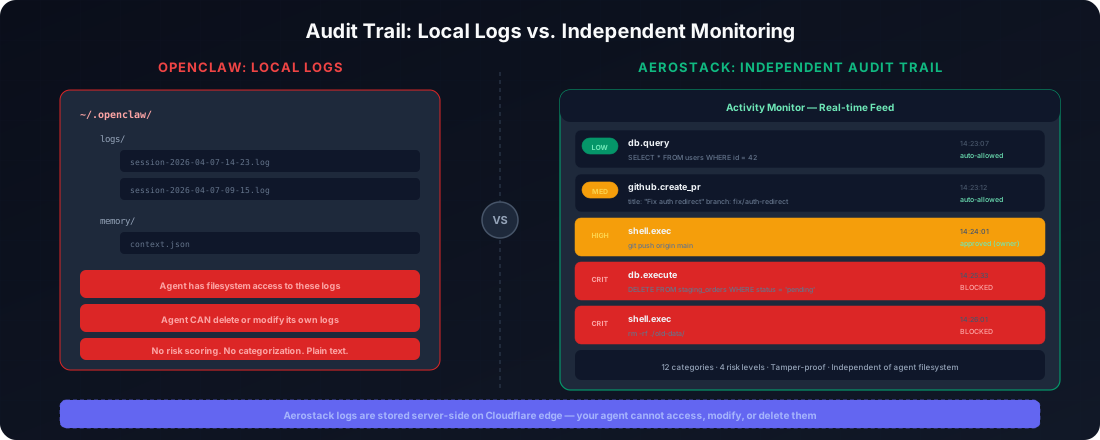
The Aerostack Activity Monitor
Every tool call is logged with timestamp, risk level, arguments, and source. We track 12 event categories: file writes, file deletes, command execution, API calls, package installs, configuration changes, deployments, message sends, data access, credential use, tool calls, and other (catch-all for actions that don't fit neatly into the above).
Each event gets a risk level. Low (green), medium (amber), high (orange), critical (red). The colors matter because they train your eye to notice patterns. Three amber events in sequence might be nothing. A critical event sandwiched between them means something different.
The logs live in independent storage. The agent cannot access them, cannot modify them, cannot delete them. Your audit trail is append-only and immutable from the agent's perspective.
And yes, you can see which platform made the call. If you run agents on Discord, on Slack, and in your own application, you know which one took which action.
The Real Problem
The community tools are great for understanding what happened. But if your threat model includes an agent that might cover its tracks—even accidentally—you need logs that live somewhere the agent can't reach.
This isn't paranoia. It's design.
An agent with filesystem access is powerful precisely because it can do real work. But that same access means it can hide. The only defense is an audit trail it can't touch.
See Aerostack's independent audit trail: aerostack.dev
Part of the Agent Operations series. Start with the full guide: "I Run 5 MCP Servers on OpenClaw"