Three months after I set up my first MCP server, I had four separate JSON config files spread across Claude Desktop, Cursor, my CI runner, and a team member's machine. Each one had a different version of the credentials. One was broken and nobody knew it. That is the per-machine MCP setup tax, and it compounds with every developer you add.
An MCP gateway solves this by replacing per-client config with one authenticated URL. You point every AI client at that URL, configure your servers once, and credentials never leave the server side. This post covers how an MCP gateway works, what to look for when evaluating one, and how to set up Aerostack's hosted MCP gateway (backed by a catalog of 254 servers) in about 60 seconds. We have also included a comparison for teams considering a remote MCP server approach versus a managed gateway.
What Is an MCP Gateway?
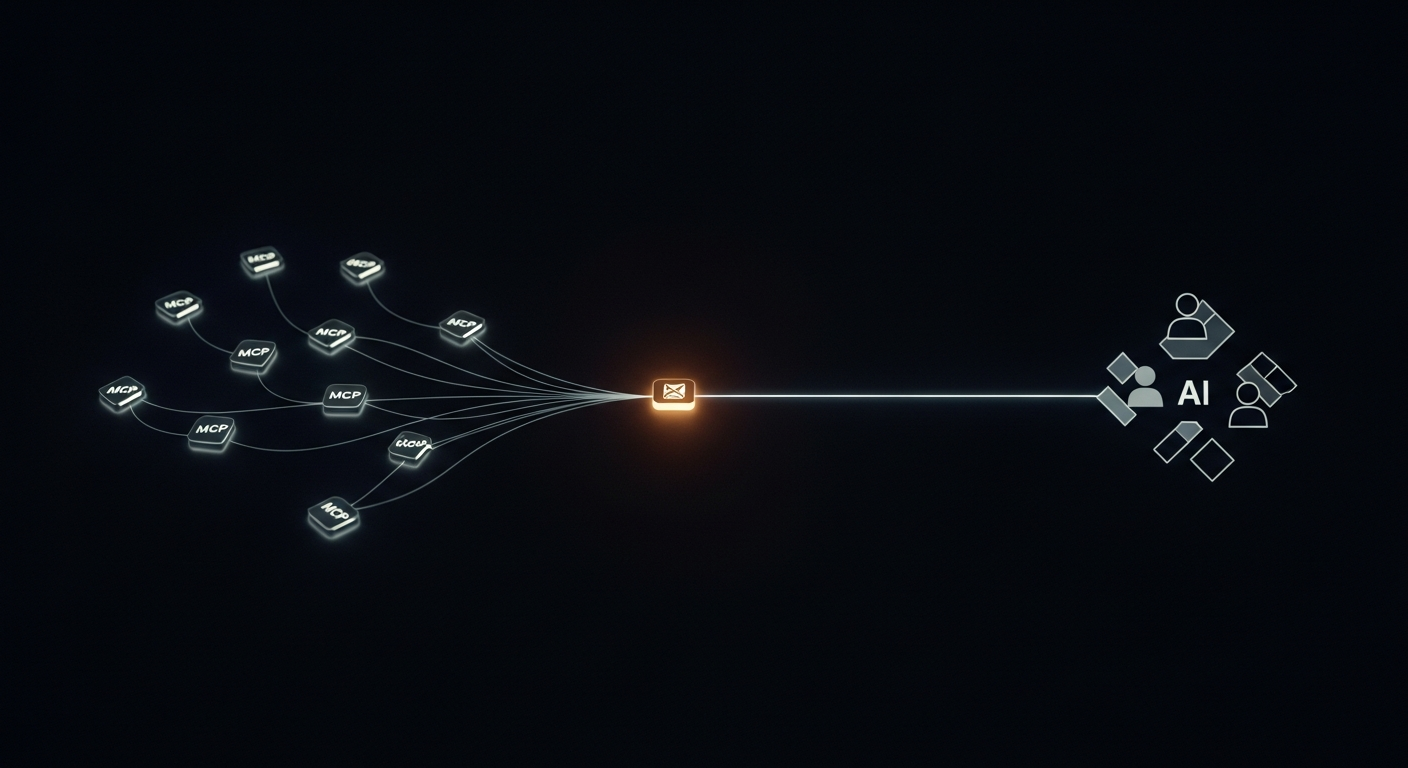
An MCP gateway is a reverse proxy that sits between AI clients (Claude Desktop, Cursor, ChatGPT, your own agent) and the MCP servers those clients need. Instead of each client holding its own copy of every server's URL, credentials, and config, the gateway holds all of it. Clients authenticate to the gateway once and get access to every server behind it.
The Model Context Protocol defines the transport layer (JSON-RPC over SSE or stdio), but it says nothing about how to manage credentials, how to rotate keys, or how to give different team members different levels of access. That is what a gateway adds on top of the protocol itself.
The gateway pattern is the same one that won in APIs (API gateways like Kong, AWS API Gateway) and in auth (OAuth authorization servers). You centralize the control plane so the rest of the system can stay simple.
Why Per-Machine MCP Config Breaks at Team Scale
Per-machine MCP setup is fine for a solo developer with one editor. It breaks in four predictable ways once you have a team or automated agents involved:
| Per-machine MCP setup | MCP gateway (Aerostack workspace) | |
|---|---|---|
| Credential storage | Plaintext in each client's config file. Rotations require emailing the team. | AES-256-GCM encrypted vault. Rotate once — all clients continue working. |
| New team member | 30-minute onboarding walk-through. Credentials shared over Slack/email. | Issue a token from the dashboard. They paste one URL into their client. |
| Offboarding | Hunt down every config file. Hope nothing was committed to git. | Revoke token. Access stops instantly, everywhere, for every MCP. |
| Adding a new MCP | Update every developer's machine manually. | Add once to the workspace. All connected clients see it immediately. |
| Audit and observability | No visibility into which tools are being called or failing. | Every tool call logged: which MCP, which token, latency, success/failure. |
Setting Up Your MCP Gateway in 60 Seconds
The 60-second claim is accurate if you already have an Aerostack account. We have timed this ourselves. The time cost is in picking which servers to add, not in the setup itself. Our team ran this with a fresh account during onboarding and consistently hit under 90 seconds including credential entry.
# 1. Log in → Workspaces → New Workspace
# 2. Browse 254-server catalog, add GitHub + Slack + Postgres
# 3. Enter credentials for each — encrypted on save
# 4. Issue a developer token
# 5. Copy workspace URL

https://mcp.aerostack.dev/ws/your-workspace-slug
Once you have the URL, paste it into any MCP client. The config is the same format regardless of which client you use:
{
  "mcpServers": {
    "aerostack-workspace": {
      "command": "npx",
      "args": [
        "-y",
        "https://mcp.aerostack.dev/ws/your-workspace-slug"
      ]
    }
  }
}
{
"mcpServers": {
"aerostack-workspace": {
"command": "npx",
"args": [
"-y",
"https://mcp.aerostack.dev/ws/your-workspace-slug"
]
}
}
}Replace 'your-workspace-slug' with your workspace slug from the Aerostack dashboard. All MCP servers in the workspace are accessible through this single URL. Your credentials are injected at runtime — never exposed to the AI client.
For ChatGPT and any OpenAI-compatible client, the workspace also exposes an OpenAI function-calling format endpoint at the same base URL. You do not need a separate integration per AI model provider.
What Is Behind the Gateway: 254 Hosted MCP Servers
Most MCP gateway discussions treat the servers as something you bring yourself. Aerostack includes a catalog of 254 hosted servers so you do not have to run infrastructure for common integrations. The catalog spans GitHub, Slack, Notion, Postgres, Linear, Jira, Stripe, and 247 others.
MCP servers in the catalog are maintained and updated centrally. When a server's upstream API changes, we update the hosted version. You do not need to pin a version or monitor upstream repositories.
GitHub: repositories, PRs, issues, code search — hosted and ready to add to any workspace.
Slack: send messages, read channels, search history — hosted, always-on, no local install.
You can also add your own private MCP server to the workspace by pointing the gateway at any URL you control. Private servers get the same credential management, token access control, and audit logging as catalog servers.
Access Control: Tokens, Roles, and Instant Revocation
Each token you issue is scoped to a role. Admin tokens allow full workspace management. Developer tokens allow using all MCPs and viewing your own logs. Read-Only tokens allow tool invocation without credential visibility. You can also create expiring tokens for contractors: issue a Read-Only token with a 14-day TTL and access self-terminates.
The revocation model matters because it inverts where trust lives. With per-machine config, each machine holds a live credential and revocation means finding and deleting all copies. With a gateway token model, the actual credentials never leave the gateway. Revoking a token makes the credential unreachable regardless of what the client machine still holds.
Observability: Every Tool Call Logged
One of the hardest problems with decentralized MCP setup is that you have zero visibility. A tool fails silently. A developer's GitHub MCP stops working after a token rotation nobody told you about. You have no log, no alert, no way to know.
Every tool call through the Aerostack MCP gateway is logged. You get the MCP server name, the specific tool called, the token that made the call (which member), the latency in milliseconds, and whether it succeeded or returned an error. From the dashboard you can answer questions like 'why is the Jira MCP slow this week' or 'which agent is hammering Postgres at 2am'.
Hosted MCP Server vs Self-Hosted: When to Use Each
A hosted MCP server (via a gateway like Aerostack) means you do not manage the runtime, TLS, availability, or updates. You configure credentials and use the URL. A self-hosted approach means you run the server on your own infra: more control, more operational overhead.
Self-hosting an MCP server makes sense when you have custom internal tools, compliance requirements that prohibit third-party data access, or a scale where owning the infra is economical. For most teams using standard SaaS integrations (GitHub, Slack, Notion, databases), a hosted gateway is the faster and more secure option and it costs less to operate.
MCP Gateway Across Clients: Claude, Cursor, and ChatGPT
The practical frustration with early MCP adoption was that each client had a different config format and different transport assumptions. Claude Desktop wanted a JSON config file pointing at a local process. Cursor had its own format. OpenAI-compatible clients expected function-calling schemas, not MCP JSON-RPC.
Aerostack's gateway handles protocol translation. The same workspace URL serves MCP JSON-RPC format to Claude and Cursor, and OpenAI function-calling format to GPT-4 applications. You configure your servers once. The gateway speaks whatever protocol the client needs.
If you want to understand the broader landscape of MCP clients and cross-model compatibility, the cross-model MCP registry post covers how a single server can serve multiple AI clients simultaneously.
Workspaces for Teams: The Practical Model
Most teams end up with two or three workspaces. In our own setup we have one for engineering (GitHub, Postgres, Linear), one for product (Notion, Jira, Figma), and a third for production automation (internal APIs, databases with tighter access controls). Each workspace gets its own token set, its own ACL, and its own audit log.
The workspace separation is also how you enforce least-privilege. Your AI bot does not need access to the GitHub admin API. Give it a workspace token scoped to Read-Only on a workspace that only has the read-access GitHub MCP and the Slack notification MCP. The production database workspace gets a separate token issued only to the agent process that needs it.
mcp gateway support this model natively — one account, multiple workspaces, per-workspace token management, and logs scoped to the workspace.
Frequently Asked Questions
MCP gateway FAQ
What is an MCP gateway?
An MCP gateway is a reverse proxy that sits between AI clients and MCP servers. It centralizes authentication, credential management, access control, and logging. Instead of each AI client holding its own credentials and config for every MCP server, clients authenticate to the gateway once and get access to every server behind it through a single URL.
Is an MCP gateway the same as an MCP workspace?
They are the same concept with different naming. Aerostack calls the product a workspace — it is a hosted MCP gateway that you configure through the dashboard. The workspace gives you one URL, credential management for all your MCP servers, token-based access control for your team, and full audit logging of every tool call.
Can I use one MCP gateway with both Claude and ChatGPT?
Yes. Aerostack's gateway performs protocol translation at request time. It serves MCP JSON-RPC format to Claude and Cursor, and OpenAI function-calling format to GPT-4 compatible clients. The workspace URL is the same for all clients. You do not need separate integrations per model provider.
What happens when I rotate a credential?
Update it once in the workspace credential vault. Every client that connects through the workspace continues working — they authenticate using workspace tokens, not your actual credentials. The gateway injects the real credential at runtime. You never touch any client config when you rotate a key.
Can I add private MCP servers to the gateway?
Yes. You can point the workspace at any MCP server URL you control — hosted on your own infra, on Cloudflare Workers, or anywhere else. Private servers get the same credential management, token access control, and audit logging as catalog servers. They appear alongside catalog servers in the workspace.
How is this different from just running MCP servers locally?
Local MCP servers require each developer to install, configure, and maintain their own copy. Credentials have to be distributed to each machine. There is no audit trail, no central revocation, and no visibility into failures. A gateway is a single control plane: configure once, every client connects, credentials stay server-side, access is audited.
If you are evaluating MCP gateways, the fastest path is to create a workspace, add one server from the catalog, and make one tool call through it. We recommend starting with GitHub or Slack since our team uses these daily and the credential setup is straightforward. The comparison with per-machine config becomes obvious once you see how token revocation and credential management work in practice.
For a broader view of what is available in the ecosystem, the best MCP servers guide covers the catalog by category. And if you are building a custom server to host behind the gateway, the build-first-mcp-server guide walks through the full implementation.