I've watched three different teams try to give their AI coding agent access to GitHub. Two wired up raw API calls directly in the agent's system prompt. One handed the agent an unscoped personal access token and hoped for the best. All three ended up with agents that worked great for a week, then broke silently on an auth rotation or started opening PRs against the wrong branch. The root problem wasn't the LLM. It was the tool layer.
This post covers what an AI coding agent actually is, how the read-to-plan-to-edit-to-test-to-PR loop works, and why tool access is the hard part most explainers skip. If you're building or evaluating a coding agent setup, the tool layer section is where the real decisions live.
What is an AI coding agent?
An AI coding agent is a software system that takes a goal: "fix the flaky test in the auth module", "add rate limiting to the API", "triage the three open Sentry errors". It works through that goal autonomously by reading files, writing edits, running commands, interpreting results, and iterating until it either succeeds or surfaces a blocker for human review.
That's a meaningful step above an AI coding assistant, which waits for your cursor to stop then offers a completion or answers a question. An assistant reacts to you. An agent acts on its own, within defined boundaries, toward an outcome.
The distinction matters for how you architect the system. An assistant needs a great UI and fast completions. An agent needs a reliable tool layer, guardrails, and a way to surface decisions back to a human when it's uncertain. Those are different engineering problems, and confusing one for the other is why a lot of "coding agent" demos look impressive and then fall apart in production.
How an AI coding agent works: the read, plan, edit, test, PR loop
Every production-grade coding agent runs some version of the same loop. The model isn't just generating text. It's executing a plan against real tools, observing real outputs, and deciding what to do next.
Each step depends on reliable tool access. "Read repo" means the agent needs a file-read tool that returns the actual current state of files, not a stale snapshot. "Run tests" means it needs permission to execute a command and read stdout/stderr back. "Open PR" means it needs GitHub access scoped to the right repo. When any of these tools are poorly configured, the agent doesn't fail loudly — it produces incorrect output confidently.
The tool-access problem: why most coding agent setups break
Here's what a coding agent actually needs: read files from a live repo, search commit history, check CI run status, pull recent Sentry errors, query a Linear board for open bugs, then write and push code back. That's five different services, each with their own auth model, rate limits, and schema.
Teams solve this in roughly three ways, ordered by how badly they scale:
| IDE autocomplete / assistant | Autonomous coding agent | |
|---|---|---|
| Trigger | Your keystroke or cursor position | A task, issue, or natural-language goal |
| Scope | Single file, single function | Multiple files, full codebase context |
| Tool use | None (pure LLM completion) | File read, shell exec, git, CI, issue tracker |
| Output | Inline suggestion you accept or reject | Committed diff or pull request |
| Human attention | Constant (every suggestion) | Review-gate only (you review the PR) |
| Examples | GitHub Copilot, Cursor, Codeium | Devin, Cline, Claude Code, Aerostack coding agent |
The first approach: hardcode API integrations in the system prompt. It works for one service. It doesn't survive a token rotation and turns every new integration into a one-off engineering project. I've seen teams rebuild this wheel three times before they switch. The second approach: write a custom wrapper layer. Most serious teams end up here — a small server that proxies requests to GitHub, Linear, and Sentry. You've basically built a bespoke MCP server, undocumented and without guardrails. The third approach — and the one that actually scales — is Model Context Protocol.
How MCP connects an AI coding agent to your real dev stack
MCP (Model Context Protocol) was introduced by Anthropic and has since been adopted across the industry. GitHub Copilot, OpenAI's Agents SDK, and most production agent frameworks now support it as the standard tool-interface layer. An MCP server exposes a set of tools with typed schemas. Any MCP-compatible agent runtime can discover and call those tools — you don't write different integration code for every agent or every service.
For a coding agent, the most useful MCP servers are typically:
GitHub MCP: read and write repos, issues, PRs, and CI status. The agent can open a PR with a full commit, not just a text diff.
Sentry MCP: pull recent exceptions, get stack traces, filter by release tag. The agent reads the error, finds the offending file, and writes a targeted fix.
Linear MCP: list open issues assigned to the agent, mark in progress, add comments. Lets the agent work a real ticket queue, not just ad-hoc prompts.
GitLab MCP: same story as GitHub for teams on GitLab — MR creation, pipeline status, code review comments.
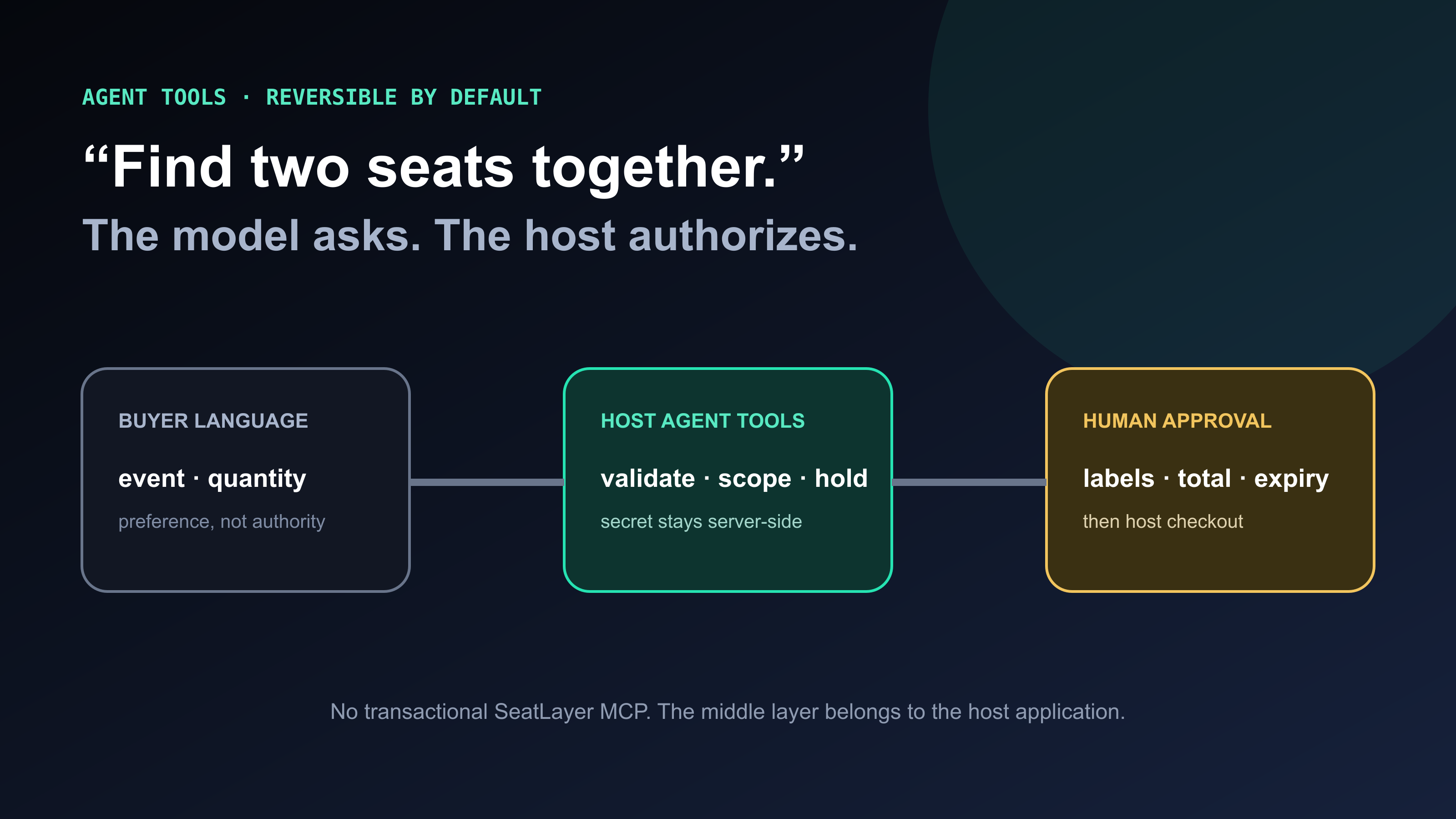
When you use hosted MCP servers instead of rolling your own, the auth problem is solved at the infrastructure layer. The agent never holds a raw personal access token. It calls a hosted MCP endpoint with its own scope, rate-limit handling, and audit log. You can rotate credentials on the MCP server without touching the agent's configuration. You can scope what each instance can do: one agent opens PRs, another can merge them.
How to set up an AI coding agent with MCP: a practical walkthrough
Getting a coding agent running end-to-end takes about four configuration steps. The heavy lifting is on the tool layer side, not the LLM side.
Connect an AI coding agent to GitHub via MCP
- Connect the GitHub MCP server
Add the Aerostack GitHub MCP server to your agent workspace. It handles OAuth so the agent never holds a raw PAT. Choose the scope: read-only, read+PR, or full write.
- Configure tool scopes per agent instance
Assign each agent instance a permission set. Triage agents get read+issue-comment only. Fix agents get read+branch+PR. Permissions are enforced at the MCP server, not in the prompt.
- Define the workflow trigger
Set the event that fires the agent loop: a new Linear issue, a Sentry alert, or a scheduled cron for dependency upgrades.
- Add approval gates for irreversible operations
Mark any step that touches main or merges a PR as requiring human approval. The agent halts, sends a request with full context, and resumes on approval. Everything before the gate runs autonomously.
Guardrails: what needs human approval and what doesn't
The security question I get asked most often about coding agents isn't "what if the LLM writes bad code". It's "what if the agent does something irreversible". Pushing to main. Deleting a migration. Merging a PR that shouldn't be merged. These are the operations where you want a human in the loop.
We covered this in detail in the post on your AI agent having root access. The short version: tool-level scoping is your first line of defense. If the GitHub MCP server the agent uses is read-only, it can't push to main regardless of what the model decides. Permissions live in the infrastructure, not in the prompt.
Our recommended setup: read ops and draft PR creation are auto-approved, anything that touches main or production is gated. Engineers review diffs, not prompts.
AI coding agent use cases: what teams actually run autonomously
Not all coding tasks are equally suited to autonomous agents. The sweet spot: tasks that are well-defined, have verifiable outputs (tests pass or don't), and don't require design decisions. Here's what we've seen work consistently:
The pattern that emerges: coding agents are excellent at tasks where "done" is machine-verifiable. They're poor at tasks where the right answer requires context only a human holds — product direction, design tradeoffs, business logic that isn't captured anywhere in the codebase.
This is why the "fully autonomous" framing can mislead. Our best setups aren't fully autonomous — they're fast, with a human at the review gate. The agent does the legwork; the engineer approves the direction.
How Aerostack fits: hosting the MCP servers your coding agent calls
Aerostack isn't a coding IDE and it's not a Cursor competitor. It's the tool-layer infrastructure. We host MCP servers for GitHub, GitLab, Linear, Sentry, and a growing catalog of dev tools. These are the servers your AI coding agent connects to in order to read and write your dev stack safely. Our focus is entirely on making that connection reliable, audited, and scoped.
We also provide the agent runtime layer: define multi-step workflows ("on new Linear issue, assign to agent, agent reads relevant files via MCP, opens a draft PR"), configure approval gates at specific steps, and monitor what the agent did and why via an audit log. It's the plumbing that makes a coding agent production-safe.
{
  "agent": "coding-agent",
  "model": "claude-sonnet-4",
  "tools": [
    { "type": "mcp", "server": "aerostack/mcp-github", "scope": "read+pr" },
    { "type": "mcp", "server": "aerostack/mcp-sentry", "scope": "read" },
    { "type": "mcp", "server": "aerostack/mcp-linear", "scope": "read+write" }
  ],
  "workflow": {
    "trigger": "linear_issue_assigned",
    "steps": [
      "read_repo_context",
      "read_sentry_errors",
      "plan_and_edit",
      "run_tests",
      { "step": "open_pr", "approval": "auto" },
      { "step": "merge_pr", "approval": "human" }
    ]
  }
}The reason we built this as hosted MCP rather than a local tool-definition file: credential rotation, rate-limit pooling, and audit logs are genuinely hard to get right at scale. Your team should be building the agent logic. We handle the integration layer. All of this — hosted MCP servers, approval gates, audit logs, the agent loop — is what makes Aerostack an ai agent platform built for production deployments.
Building a coding agent on an MCP registry vs. rolling your own
There are hundreds of MCP servers now: hosted, self-hosted, first-party, community-built. We covered how these fit together in our post on cross-model MCP registries. The short version: a registry lets your agent discover and call tools without you pre-configuring every server.
For a coding agent specifically: if the service you need has a first-party MCP server (GitHub, Sentry, GitLab all do), start there. Rolling your own MCP server is the right call for internal services — your internal ticketing system, your deploy platform, your metrics API. For external SaaS tools that millions of teams use, you're almost certainly better off consuming a maintained hosted server.
Once your AI coding agent is running, observability becomes the next question: how do you know what it's actually doing, whether it's drifting, and when to intervene? That's the focus of AgentOps as a discipline — the tooling and practices that make autonomous agent deployments genuinely production-safe over time.
FAQ: AI coding agents
Frequently asked questions
What's the difference between an AI coding agent and an AI coding assistant?
An AI coding assistant (GitHub Copilot, Cursor tab completion) reacts to your cursor. It completes code or suggests a function based on what you've typed. An AI coding agent acts autonomously toward a goal: it reads files, edits code, runs tests, and opens a PR without you driving every step. The key difference is tool use and autonomy, not model quality.
Does an AI coding agent need access to my production environment?
No, and you shouldn't give it that access. Coding agents work against your repository and test environment. The typical setup is: read-only access to the repo for context, write access scoped to a feature branch, read access to Sentry and CI for error context, and a human approval gate before anything merges to main or runs in production. The MCP server layer is where you enforce those scopes.
What model is best for coding agents?
As of mid-2026, Claude Sonnet 4 and GPT-4o are the most commonly used models for coding agent tasks. They balance strong code comprehension with reasonable cost per agent loop iteration. Claude Opus 4 is preferred for complex refactoring where you need deeper context retention. Model choice matters less than the quality of your tool layer.
How is MCP different from giving the agent a GitHub API key directly?
A raw API key can do anything the key permits and is visible to anyone with config access. An MCP server is an intermediary: it holds the credential server-side, exposes only the tools you've enabled, logs every call, and lets you rotate the underlying token without touching the agent. You get per-agent scoping, audit logs, and credential isolation for free.
Can a coding agent write and run its own tests?
Yes. Most production coding agent setups include a terminal execution tool that lets the agent run the test suite and read stdout/stderr back into its context. The agent writes a fix, runs the tests, sees which ones still fail, edits again, and repeats. This loop is what makes coding agents effective on bug fixes: they verify their own work before presenting it for human review.
How many iterations does a coding agent typically need?
For a well-scoped bug with a clear Sentry stack trace and good test coverage, most coding agents converge in 3–7 loop iterations: read context, plan, two to three edit-and-test cycles, open the PR. Complex bugs involving multiple modules can take 10–15 iterations. A maxIterations circuit breaker at 25 is a sensible default — if the agent hasn't solved it by then, it surfaces the blocker for human review.
The conversation around coding agents tends to focus on model capability: which LLM writes the best code, which product has the highest benchmark scores. Those things matter, but they're not where teams run into problems. The problems are in the tool layer: stale credentials, missing scopes, no audit trail, no human gate on the operations that matter.
Get the tool layer right and you can run an AI coding agent that's genuinely useful on real work. If you want to understand how this fits the broader agent landscape — perceive-reason-act loops, multi-agent coordination, production deployment patterns — the autonomous AI agent overview covers the full picture.